
Create Your Own Pixel Art Animations!
An intuitive, offline animation app for kids and creators alike.


See It in Action
Create your flipbooks or characters for your games.
Powerful Features
Everything you need to get things done.
Draw, copy, play
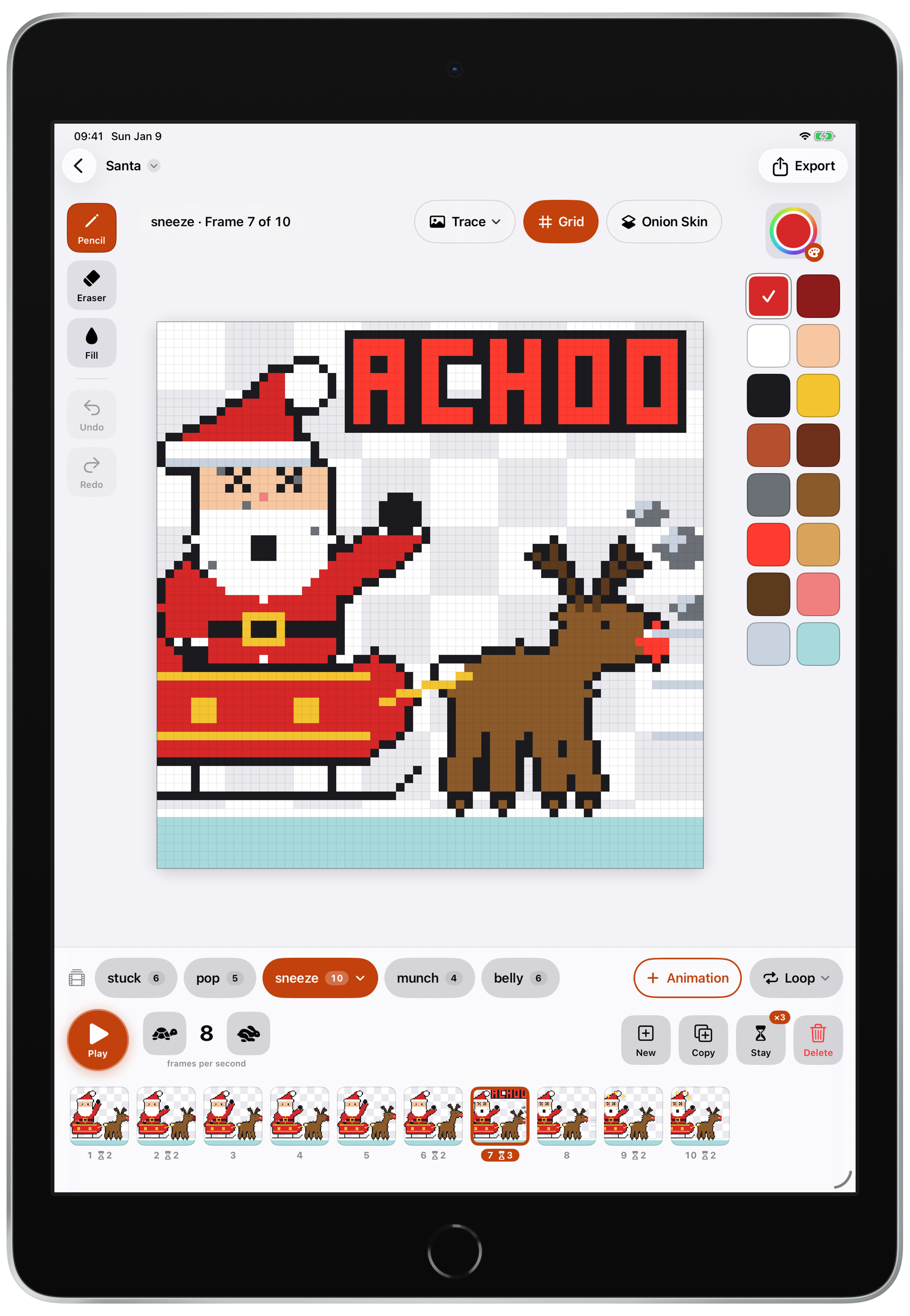
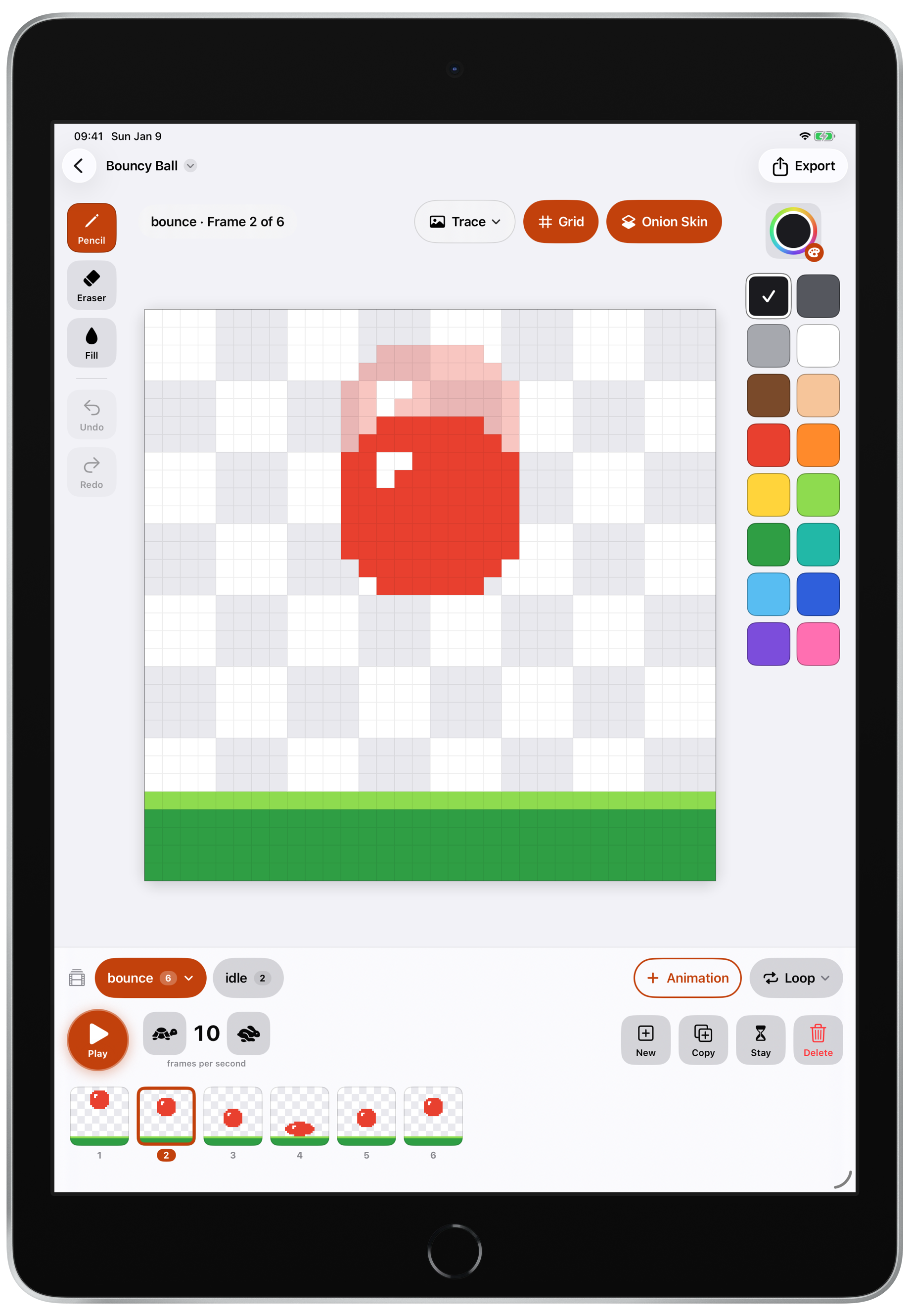
Draw a picture, copy it, change it a little and press Play to watch it move.
Onion skin
See the frame before faintly behind your drawing, so every move lines up.
Character animations
Give one character several animations, like idle, walk and jump, each with its own speed.
Ready for Godot
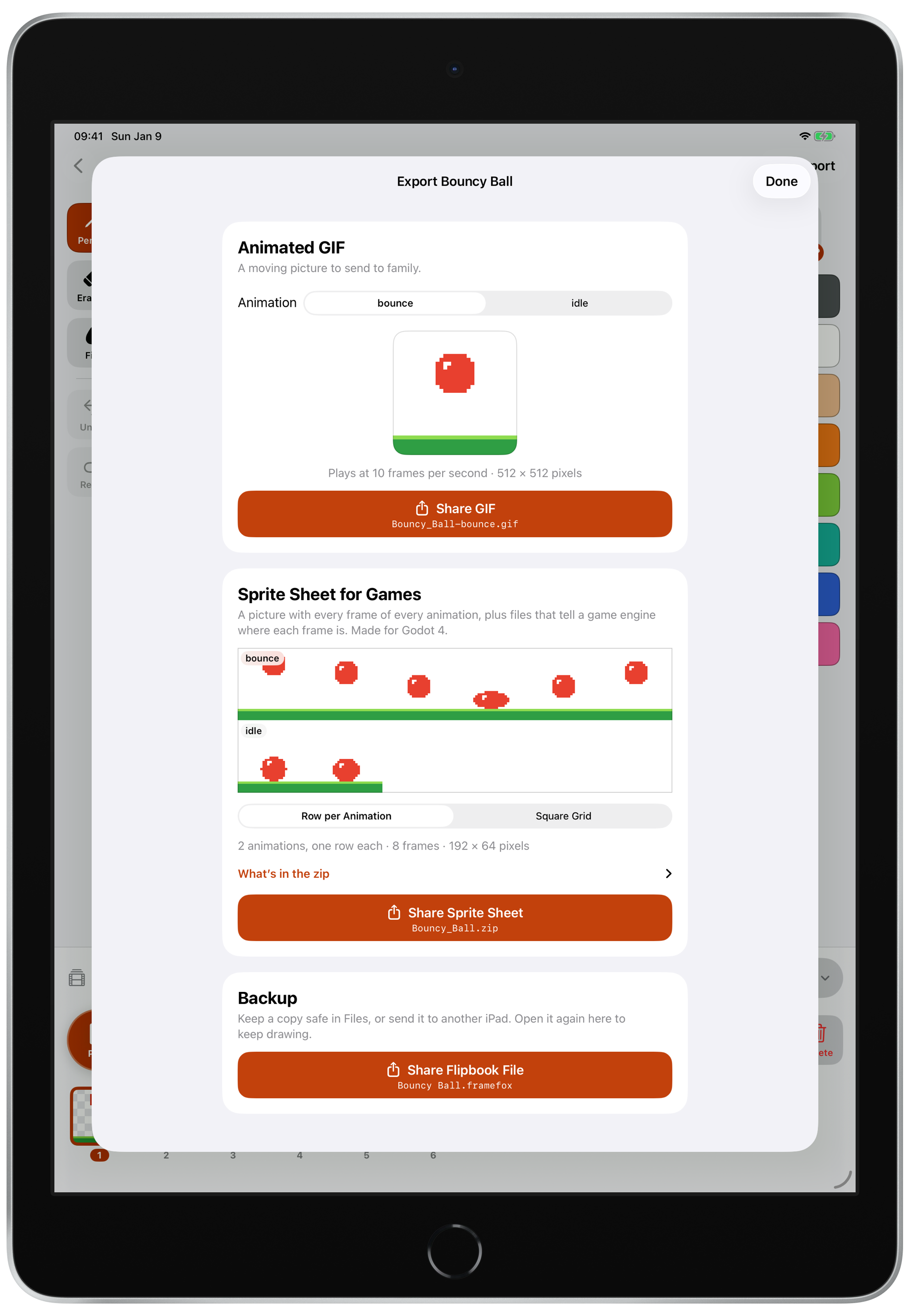
Export a sprite sheet with a Godot 4 file that works as soon as you drop it into your game.
Share easily
Send your animation to family and friends as a moving picture.
Start from a sample
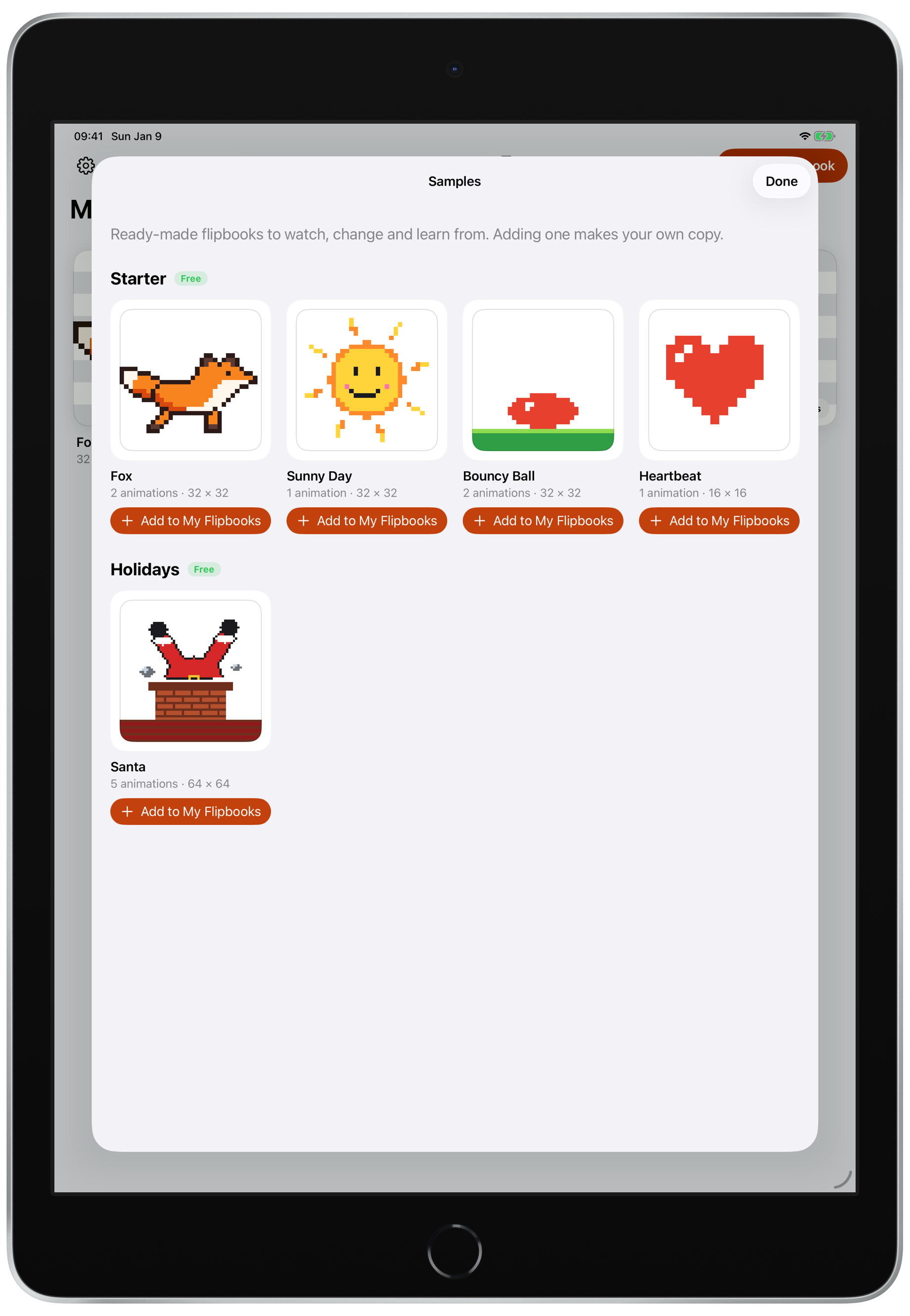
Begin with the running fox or Santa stuck in a chimney, then make it your own.
No data collection and kids friendly
No ads, no tracking, and a quick check for adults before any purchase.
Never lose a drawing
Saved automatically, with backups to iCloud Drive and optional iCloud Sync between iPads.
FrameFox Pro
Bigger and custom canvases up to 256 × 256, in one purchase shared with your family.
Get Framefox Now!
Bring your creativity to life with pixel-art animation!
Framefox is a pixel-art animation app for iPad, designed for kids. It allows you to draw small frames on a pixel grid with tools like pencil, eraser, and fill, and see them move when you play the animation.
Yes, Framefox works fully offline and collects no data, so you can use it without an internet connection.
Yes, you can share your animated GIFs with family or friends via messaging apps or social media.
Yes, you can export your sprite sheet in PNG format, which can be used in game engines like Godot 4.
Yes, Framefox is designed for kids and is suitable for young users interested in animation and creativity.